Laundrymore
User Guide
LAUNDRY MORE Character Mr. Moa

● How to use the laundry (washing machine and dryer)
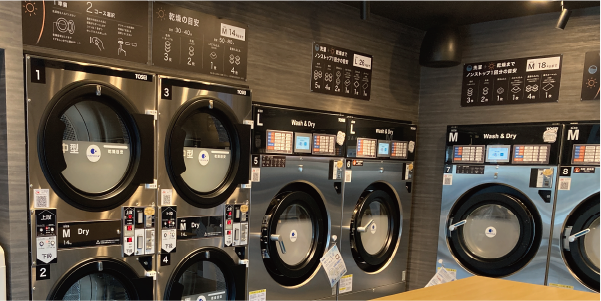
1. Before washing: Clean the drum.
Before putting in your laundry, make sure to close the door tightly and press the "Drum Cleaning Button" on the upper left of the machine.
*Cleaning takes approximately 2 minutes and is free of charge.
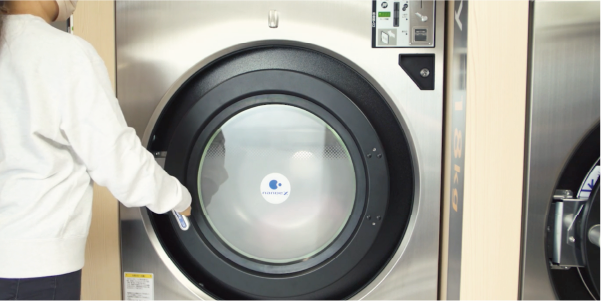
2. Preparation: Put the laundry inside and close the door tightly.
*Detergent and fabric softener are automatically dispensed. You do not need to add them yourself.
3. Confirmation: Select language, payment method, and machine number.
We will now move to the central payment machine.
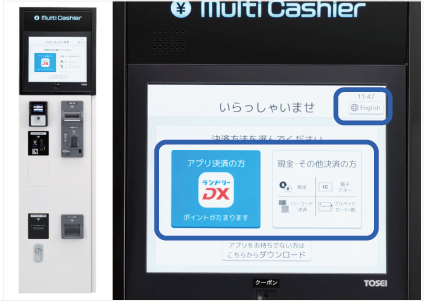
Please select "Japanese / English" using the toggle button in the upper right corner of the screen.
Please select your payment method from "App Payment (Laundry DX) / Cash/Other Payment".
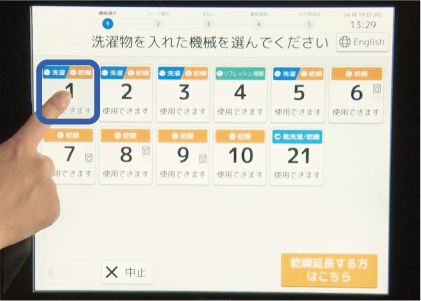
Please select the number of the machine where you placed your laundry. Once you confirm that the indicator light on the machine is blinking, proceed to the next step.
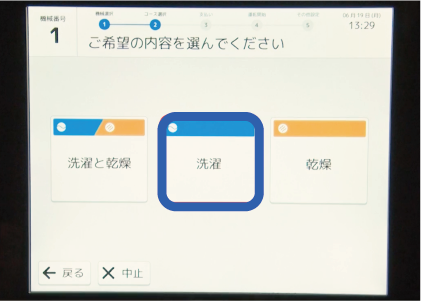
4 course selections
Please select your desired service: "Wash and Dry", "Wash Only", or "Dry Only".
5 Payment
Please select your payment method and proceed with payment. *Cashless payment available.
Click here for instructions on how to use the centralized payment machine ▶6. Start washing
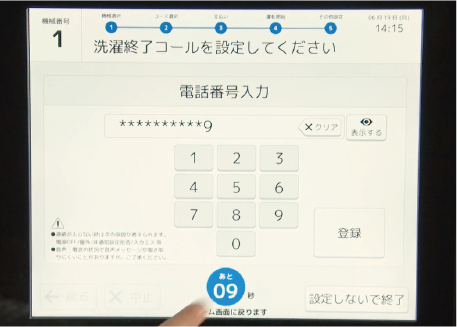
The machine will start shortly after payment. If you set the "Washing Complete Call" function, you will be notified by phone when the wash cycle is finished.
7. Finished: Take out the laundry.
After your laundry is finished, please take it with you to avoid forgetting anything.
● How to use a shoe laundry (washer and dryer for shoes)
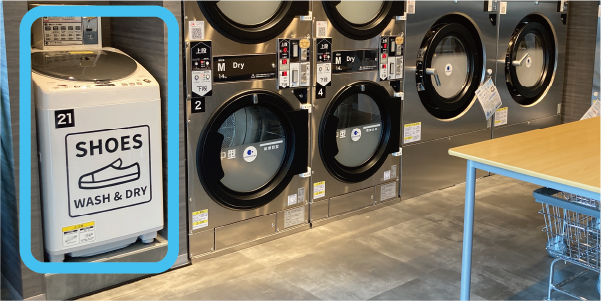
1. Before washing: Clean the washing machine drum.
Before putting your shoes in, make sure to close the door tightly and press the drum cleaning button.
*Cleaning takes approximately 1 minute and is free of charge.
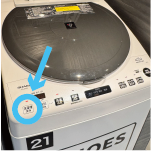
2. Preparation: Put your shoes inside and close the door tightly.
*Detergent is dispensed automatically. You do not need to add it yourself.
3. Confirmation: Select machine number
We will now move to the central payment machine.
Please select "Japanese / English" using the toggle button in the upper right corner of the screen.
Please select your payment method from "App Payment (Laundry DX) / Cash/Other Payment".
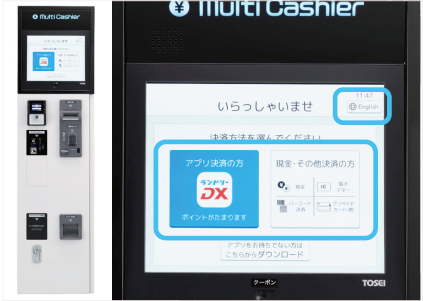
Please select the number of the machine in which you placed your laundry.
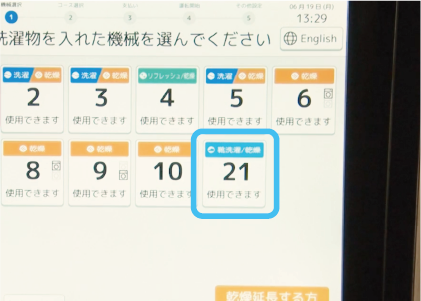
4 course selections
Please select your desired course content.
Driving course
| course | Duration | Target criteria |
|---|---|---|
| Washing only | 20 minutes | - |
| Drying only | 20 minutes | - |
| Washing and drying | 60 minutes | Children's shoes, etc. |
| Washing and drying | 80 minutes | Low-cut sneakers, etc. |
| Washing and drying | 100 minutes | Lightweight outdoor shoes, etc. |
Capacity guideline
| For adults (over 20cm) | 3 pairs (only 1 pair of high-top shoes) |
| Children's sizes (19.5cm or smaller) | 5 pairs |
5 Payment
Please select your payment method and proceed with payment.
Click here for instructions on how to use the centralized payment machine ▶6. Start washing
The machine will start shortly after payment. If you set the "Washing Complete Call" function, you will be notified by phone when the wash cycle is finished.
7. Finished: Take out the laundry.
After your laundry is finished, please take your shoes with you to avoid forgetting anything.
● How to use the centralized payment machine (payment machine)
Course selection and payment for each machine are done at the "centralized payment machine" located inside the store.
1. Select language, payment method, machine number, and course.
Please refer to " How to use the laundry (washing machine and dryer) " or " How to use the shoe laundry (washing and drying machine for shoes) " and make your selection.
2. Select Payment Method and Make Payment
Please select your preferred payment method and proceed with the payment.
|
*For those with a coupon Please hold the coupon code over the scanning window. |
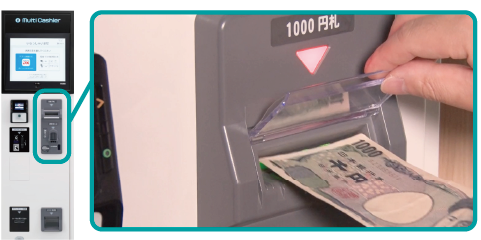
cash
Please insert coins or bills. It accepts 1,000 yen bills and will give you change.
Prepaid card
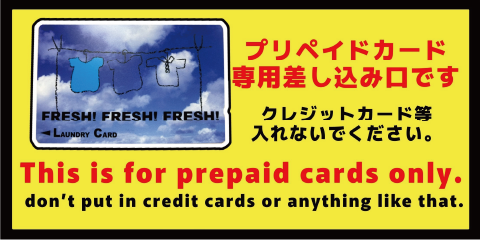
Please insert your prepaid card.
*Please do not insert credit cards or similar items.
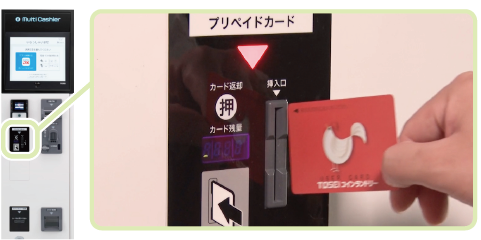
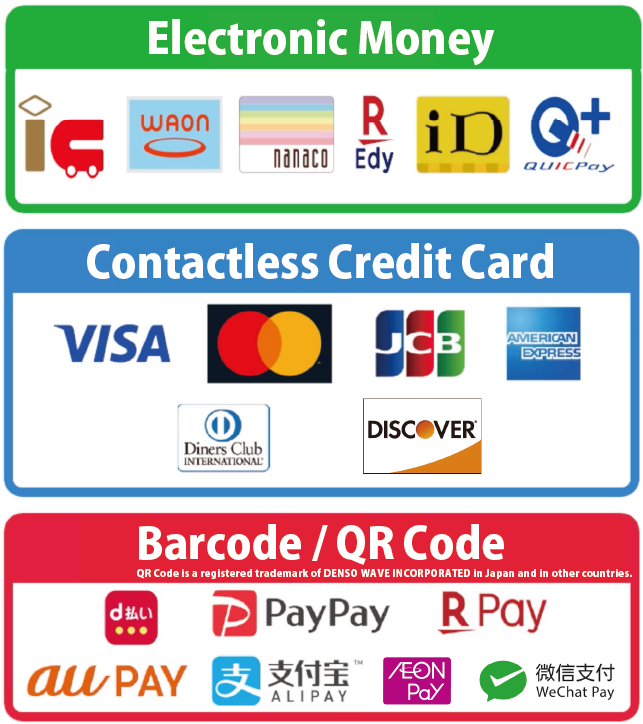
Electronic money, barcode (QR code) payment, and contactless credit cards.
*The machine version may vary.
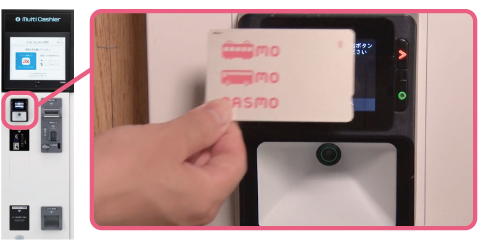
Electronic money
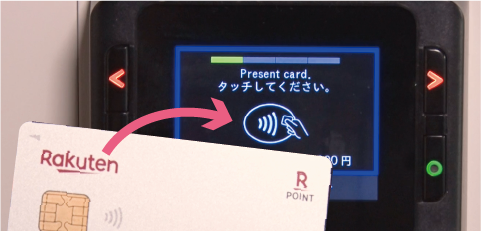
After selecting your payment method, please tap to pay.
Barcode (QR code) payment / Touch-based credit card
First, press the "×" button, then use the "<" and ">" buttons to select your payment method and confirm with the "○" button.
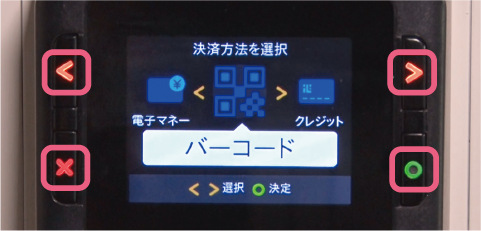
For barcode (QR code) payments, please select your payment method and then hold the barcode over the scanner at the bottom to complete the payment.
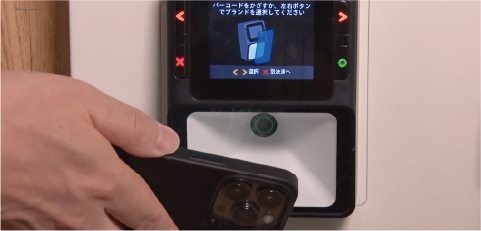
For contactless credit cards, please touch the reader at the top to make the payment.
Examples of payment methods
5. Start the washing machine / Receive receipt and change.
The machine will start operating shortly after payment. Please collect your change and receipt from the slot at the bottom right of the machine.
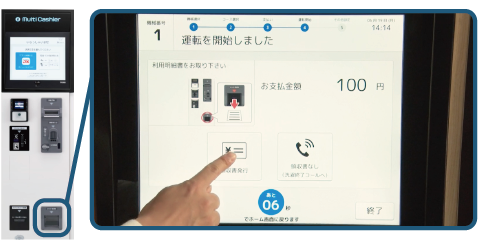
6. Setting the Washing Completion Call
If you set up a "laundry completion call," you will be notified by phone when the laundry is finished.